
Toddler Car Games For Kids 2-5
Toy Tap LLPEducational
4.730.00 Reviews
- Version
- 4.2.3
- Installs
- 10.00M
- Age Rating
- Everyone
Screenshots
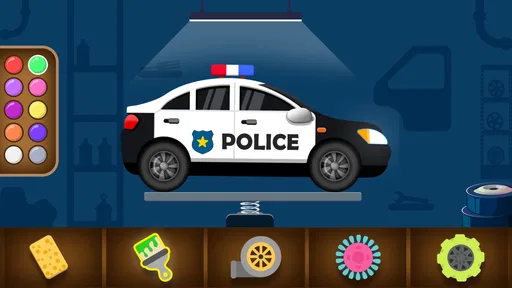
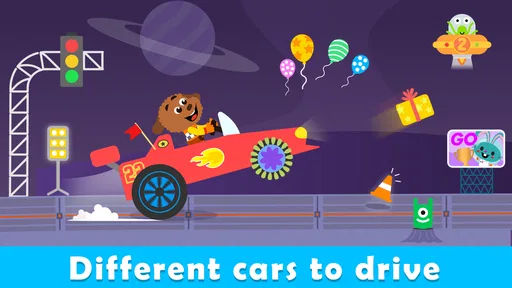
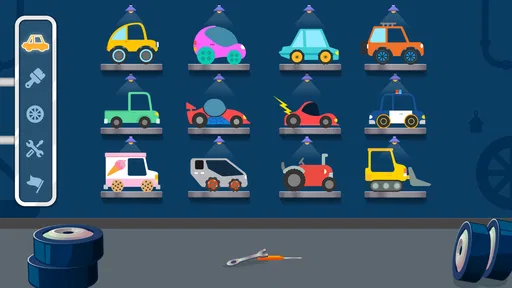
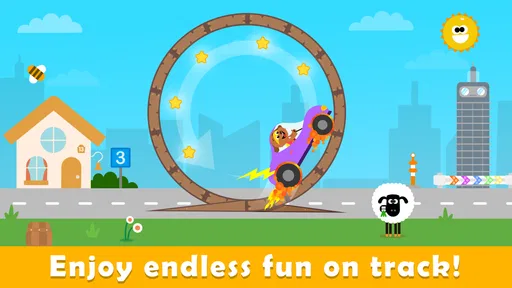
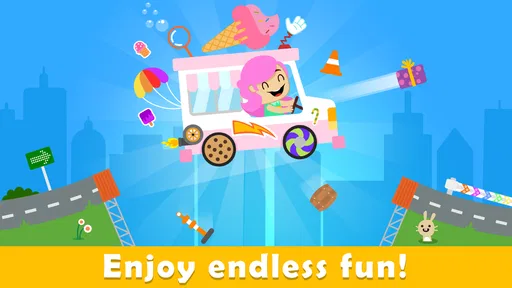
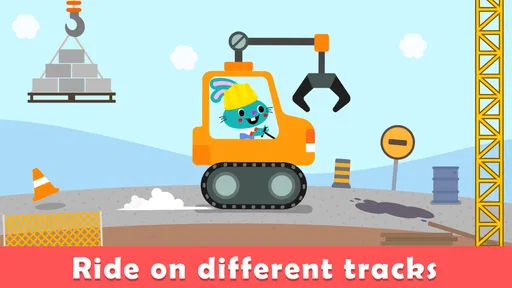
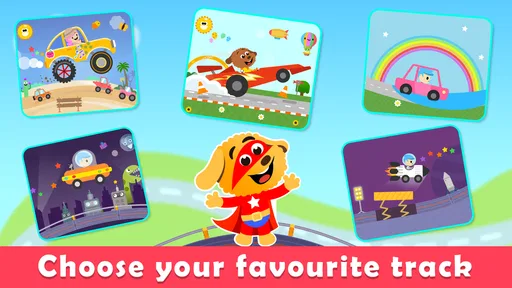

Our Review of Toddler Car Games For Kids 2-5
 Analysis by Appyee
When I tried Toddler Car Games For Kids 2-5, I approached it as a short, supervised play session rather than a full racing game. That distinction matters. This is an educational game from Toy Tap LLP, aimed at young children who are drawn to cars but may not yet have the patience or coordination for complicated controls. The basic appeal is immediate: familiar vehicles, simple interaction, and an adventurous setting designed to keep small hands and curious minds busy.
My first impression was that the game is best understood as a gentle introduction to digital play. It is not trying to replace a preschool curriculum, and I would not use it as a passive screen-time solution. Instead, it works better when an adult sits nearby, lets the child explore, and turns the activity into a small conversation about what is happening on screen. That approach makes the experience more useful and also helps avoid the frustration that can appear when a child taps without knowing what the game expects.
The game is free to download and carries an Everyone age rating, which makes it an easy candidate for families looking for a child-friendly car game. It supports devices running Android 7.0 or later. Optional purchases cost $2.99 per item, so I would still check the purchase settings before handing the device to a child, especially if the phone or tablet is shared by several family members.
Getting started without turning setup into a chore
The first setup is simple from a parent’s point of view: install the game, open it, and keep the first session nearby rather than passing the device over and walking away. For a toddler, the important setup is not technical. It is physical and practical. I would place the tablet on a stable surface, lower the volume if other people are working or sleeping, and make sure the child can reach the screen without needing to grip the device awkwardly.
I also recommend starting with a short introduction instead of explaining every possible action. Young children usually learn faster by seeing one interaction at a time. I would say something like, “Let’s find out what this car does,” then wait for the child to look at the screen. If the child immediately taps, that is fine; the first goal is comfort, not perfect control.
Because the game is designed for ages two to five, expectations should be adjusted to the child’s development. A two-year-old may enjoy pressing and watching a response, while a five-year-old may want to understand a sequence or make more deliberate choices. The same activity can therefore feel very different depending on who is holding the device. I found that the game is more successful when adults allow the child to set the pace instead of insisting on completing a particular action.
The current version is 4.2.2, and the game has been available since March 18, 2024. Those details are useful when checking compatibility or explaining to another caregiver which edition to install, but they do not change the most important preparation: keep the first play period calm, visible, and short enough that the child finishes interested rather than overtired.
The first meaningful success
For a first-time user, I would define success very modestly. It might be the child recognizing where to tap, making a vehicle respond, or repeating an action with less help the second time. That is a better measure than expecting a preschooler to move quickly through a sequence. When the child succeeds, I would name the result out loud: “You made it move,” or “You found the button.” This connects the tap with a clear outcome and gives the activity a small learning purpose.
One useful routine is to give the child a few seconds to try alone before offering help. If the screen seems confusing, I would demonstrate one tap with a finger and then hand control back. Taking over the whole device may finish the activity faster, but it removes the part that makes the game valuable: the child discovering a relationship between an action and a response.
I also found that narration helps more than constant correction. Instead of saying “No, not there,” I would describe what I see: “That tap did something different. Let’s look again.” This keeps the tone encouraging and avoids making the game feel like a test. For younger children, the emotional experience is just as important as the digital task. A game that feels safe to explore is more likely to be opened willingly another day.
A practical everyday scenario is a short waiting period before an appointment. I would let a child play for a few minutes, then ask them to tell me what the car did or which part they liked. That turns the session into a transition activity rather than an endless distraction. It also gives the adult a natural stopping point: finish the current interaction, talk about it, and put the device away.
What can feel confusing at first
The main source of confusion is not necessarily the controls; it is the difference between a toddler’s idea of play and an adult’s idea of progress. A child may repeatedly tap the same area, pause for a long time, or ignore the apparent objective altogether. I would not treat that as failure. At this age, repetition can be the activity. The child may be testing whether the same action produces the same response.
Another common issue is assuming that a car-themed game must involve racing. This title is better suited to children who enjoy vehicle-based discovery than to children looking for speed, competition, or detailed driving. If your child asks for tracks, lap times, or advanced steering, this may feel too gentle. In that case, an age-appropriate racing game could be a better fit, provided its controls and content are suitable for the child.
Parents may also wonder whether the game can be left running independently. I would avoid that. Even a simple educational game benefits from an adult nearby, both to explain unfamiliar interactions and to notice when the child is no longer engaged. Supervision is especially sensible when optional purchases are available. The free entry point is convenient, but a child should not be expected to understand what a purchase prompt means.
The Everyone rating is reassuring for general suitability, but it is not a substitute for knowing your own child. Some children become excited by bright movement and want to continue long after they are tired; others lose interest quickly. I would watch for signs such as repeated frustrated tapping, leaning too close, or asking for help with every action. Those are good reasons to pause, not signs that the child needs more instruction.
How I would use it beyond the first session
After the child understands the basic rhythm of tapping and observing, I would introduce a small verbal challenge. For example, I might ask the child to show me the action they already learned, then wait while they attempt it independently. I would not add several instructions at once. One clear request gives the child a realistic chance to remember the interaction and feel ownership of the result.
A second useful approach is to connect the car theme with offline play. After a session, the child can use toy cars, draw a road, or describe where the vehicle is going. The game then becomes a starting point for pretend play rather than the entire activity. This is one of the stronger ways to make a short screen session feel purposeful without pretending that the app itself teaches everything a preschooler needs.
I would also alternate who controls the device. An adult can demonstrate once, the child can try, and then the child can explain what to do next. That final step is valuable because it reveals whether the child understands the interaction or is simply repeating random taps. It also gives older children in the two-to-five range a little more responsibility without turning the experience into formal instruction.
For families with more than one young child, taking turns is likely to work better than letting both children reach for the same screen. A simple rule such as one turn each keeps the game from becoming a struggle. The trade-off is that the activity may feel slower, but the calmer pace usually produces better observation and less accidental tapping.
The game’s popularity is easy to understand: it has an average rating of 4.6 from around 5.2 thousand ratings, and it has passed 10 million installs. I see those figures as signs that the concept appeals to many families, not as proof that every child will enjoy it. A preschooler who loves cars and responds well to visual exploration is the most likely match. A child who prefers stories, drawing, music, or physical movement may need something different.
Where it fits among other choices
Compared with traditional car games, this one is a softer choice for early users. It does not need to be approached like a competitive driving title, and that makes it less intimidating for a child who is still learning how a touchscreen works. Compared with general educational apps, its vehicle focus is narrower, which can be a strength when a child has a clear interest in cars but a weakness when they want letters, numbers, puzzles, or a wider variety of subjects.
I would choose this game over a more demanding racing game for a child who becomes frustrated by steering, timing, or losing. I would choose a broader preschool learning app when the main goal is practicing several different skills in one place. I would also choose an offline toy or book when the child has already had substantial screen time that day. The right option depends less on the title’s popularity and more on what the child needs in that moment.
There is another trade-off involving adult involvement. The simple design makes it approachable, but it may not hold the attention of an older five-year-old who wants increasing challenge. In that situation, the game can still work as a brief warm-up or a shared activity, but I would not expect it to become a long-term substitute for more advanced play. Its value is strongest at the beginning of the learning curve, when a child is discovering basic touchscreen cause and effect.
What the free version means for a family
The fact that the game is free makes trying it low-risk, particularly for a parent who wants to see whether a car theme appeals to a child. Still, free access does not mean every part of the experience should be treated casually. Optional items are priced at $2.99 each, so I would review the device’s purchase protections before the first session and explain to older preschoolers that not every on-screen option is for tapping.
I would also avoid presenting purchases as rewards during play. That can shift attention away from exploration and toward asking for unlocks. If an adult decides that an optional item is worthwhile, making that choice separately and deliberately is better than deciding in response to repeated requests. The game is easiest to enjoy when the child’s success comes from interacting with the activity, not from acquiring something extra.
Storage, battery, and device comfort are ordinary practical concerns for any young-child game, but they matter here because toddlers often play in short bursts. I would keep the device charged before a planned trip, use a case if the tablet is handled by small hands, and stop if the child begins pressing harder or holding the screen too close. These habits are not features of the game, but they make the first experience much smoother.
My recommendation for a first-time family
My preferred path is simple: install it, sit with the child for the opening session, demonstrate one interaction, and let the child repeat it without rushing. Once the child has a successful action, add a short question or connect the car theme to a toy or drawing away from the screen. If the child remains curious, continue briefly; if the child becomes frustrated or restless, stop and try again another day.
I would recommend Toddler Car Games For Kids 2-5 to families seeking a free, approachable educational car game for early touchscreen exploration. It is especially suitable for a child who already likes vehicles and enjoys learning through repetition. I would skip it if you need deep academic lessons, competitive racing, a completely hands-off experience, or a game that grows substantially with an older child.
Overall, my opinion is positive but specific. This is not a complete learning program and it should not be treated as an automatic babysitter. Its strength is the low barrier to entry: a young child can begin with curiosity, make a small action happen, and gradually become more confident with the screen. Used in short, supervised sessions, it offers a pleasant way to combine car-themed fun with simple discovery. For that narrow purpose, the free download is worth trying.
Privacy and Permissions
See what permissions an app requests and how it handles your data.
- Other
- view network connections, full network access, prevent device from sleeping
Verdict
Strengths of Toddler Car Games For Kids 2-5
- Simple controls are easy for preschoolers to learn independently.
- Bright visuals and playful vehicles keep young children engaged.
- Short activities suit brief attention spans and quick play sessions.
- Offline access makes it useful during travel or without Wi-Fi.
- Gentle gameplay avoids stressful competition or difficult time limits.
Limitations of Toddler Car Games For Kids 2-5
- Some content may feel repetitive after extended play.
- Advertising or in-app purchases may require parental supervision.
- Limited challenge can make it less appealing to older children.
- Sound effects may become distracting in quiet environments.
- Device storage and performance requirements vary by phone or tablet.
Other Releases by Toy Tap LLP
View All
Coloring and Drawing For Kids
Educational4.7

Coloring and Drawing For Girls
Educational4.7

Kids Monster Truck Games 2+
Educational4.6

Mini Dress Up & Beauty Games
Casual4.6
Similar Picks in This Category
View All
Little Panda Policeman
BabyBus4.0

Monster Trucks Game for Kids 2
Raz Games4.1

Little Panda's Chinese Recipes
BabyBus4.4

Little Panda's Restaurant
BabyBus4.4

Little Panda's Ice Cream Games
BabyBus4.3

Baby Panda Care
BabyBus3.8
Frequently Asked Questions
What is Toddler Car Games For Kids 2-5?
Toddler Car Games For Kids 2-5 is a collection of simple, child-friendly driving activities designed for preschoolers. The app generally focuses on tapping, swiping, choosing vehicles, and completing short challenges rather than realistic driving. Its colorful graphics, cheerful sounds, and straightforward controls are intended to keep young children engaged while introducing basic coordination and cause-and-effect concepts.
Is Toddler Car Games For Kids 2-5 suitable for children aged two to five?
The game is designed specifically for toddlers and preschool children between two and five years old. Its controls are usually easier to understand than those in advanced racing games, making it accessible to children who may not yet read independently. However, ability levels vary, so younger children may still need an adult to explain the first activities and help them navigate menus.
Does the game require an internet connection?
Whether an internet connection is required can depend on the version installed and the specific features included. Many basic activities may work offline after installation, which is useful for travel or limiting connectivity. Extra content, advertisements, updates, or store links may require internet access. Parents should test the app in airplane mode before giving it to a child.
Are there advertisements, in-app purchases, or parental controls?
Parents should review the app’s store listing and settings before allowing unsupervised play, because advertising, locked levels, purchases, and parental options can differ between versions. Look for a parent section protected by a simple child-resistant action. It is also wise to disable unauthorized purchases and check whether advertisements or external links can be accessed from the main game screen.
Is Toddler Car Games For Kids 2-5 educational and safe for independent play?
The game can support early hand-eye coordination, visual recognition, reaction timing, and simple problem-solving, but it should be viewed primarily as entertainment rather than a complete educational tool. The bright presentation is generally appropriate for young children, yet parents should supervise play, especially at first. Short sessions, safe device settings, and regular breaks are recommended for a healthier experience.
Play our best games!


